ReticleBench may earn an affiliate commission when you purchase through links on this page, at no additional cost to you. Learn how ReticleBench is reader-supported
A USB microscope streams live magnified images directly to your computer or phone, letting you see fine details on a larger screen while keeping both hands free for work. They're built into two broad layouts: small handheld units with a built-in display, or standalone optical heads that rely entirely on your computer monitor. The choice depends on your workspace, how often you move between tasks, and whether you need portability or stable positioning on a workbench.
Core differences that matter
Screen or software. Handheld models with built-in screens (typically 3 to 7 inches) work immediately without a computer nearby—useful for field repair, inspecting coins, or moving between workstations. Models without screens require a computer and software, but often cost less and offer larger display areas. The trade-off is convenience versus flexibility.
Magnification claims versus working distance. USB microscope sellers advertise magnification numbers—1600X, 500X, 1200X—but these are software-generated zoom, not optical quality. What matters more for practical work is how close the lens sits to your subject (working distance) and how much light you can direct onto it. A microscope with poor lighting and short working distance is harder to use than one with adequate LED control and comfortable clearance, regardless of the zoom number.
LED lighting. Most USB microscopes include 4 to 8 adjustable LEDs mounted around the lens. These illuminate small, reflective work like circuit board traces and solder joints. Softer lighting (ring placement) reduces glare on shiny surfaces; brighter output helps with darker components. Check whether the LEDs are dimmable—fixed brightness can wash out fine detail.
Stand and stability. Desktop models ship with metal or plastic stands that hold the lens at a fixed height and angle. Handheld units let you position the lens freely but require a steady hand. For soldering and detailed electronics work, a stable stand reduces fatigue and improves precision.
Compatibility. Most connect via USB-A, USB-C, or Micro-USB. Windows, Mac, and some Android devices are commonly supported, but check the exact operating system version before purchase—older software may not work with recent OS updates. The seller should specify compatible versions.
Budget-focused models under $35
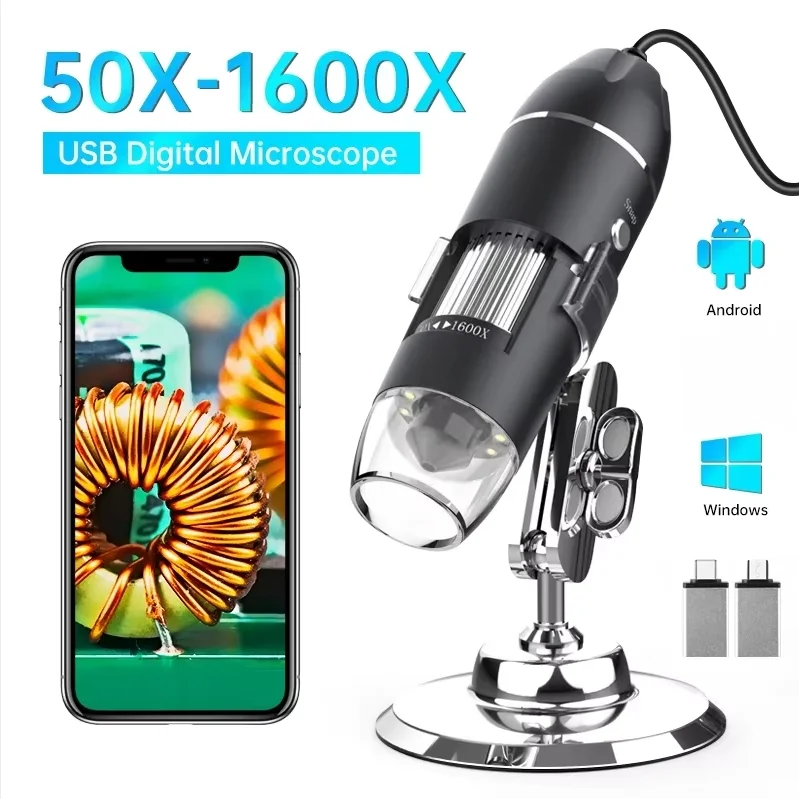
Advertised high zoom often limits working distance under the lens. Verify soldering iron clearance before mounting.
The 1600X unit from BingWu08 Store ($28.39) advertises 1080P output, 8 adjustable LEDs, and a metal stand. The title indicates UVC and OTG compatibility, suggesting it can connect to Android phones as well as computers, though the exact supported devices aren't detailed in the listing. Before ordering, verify that your specific phone or computer model appears in the seller's system requirements—OTG support varies widely across Android versions.
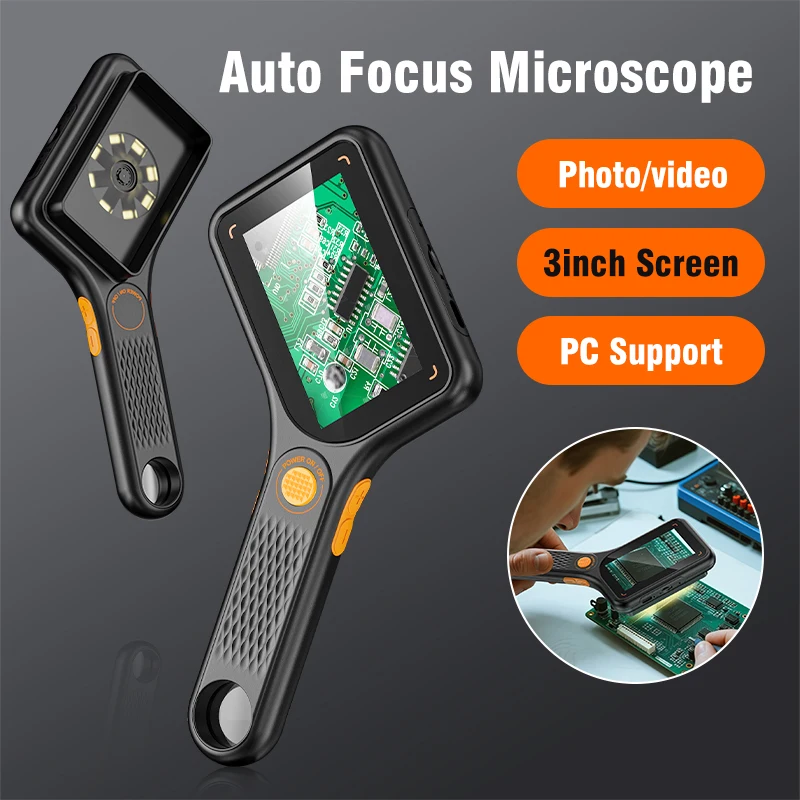
Advertised high zoom often limits working distance under the lens. Verify soldering iron clearance before mounting.
The 3-inch handheld from INSKAM Store ($28.19) claims autofocus, 500X magnification, and 2MP resolution. A built-in screen means you don't need a tethered computer, making it portable for field inspection or bench-hopping. The autofocus feature can be helpful for keeping subjects in focus without manual adjustment, though the listing doesn't specify the focus range or whether it works on all materials. For electronics work, ask the seller whether the focus system handles reflective PCB surfaces reliably.
Mid-range models with larger screens
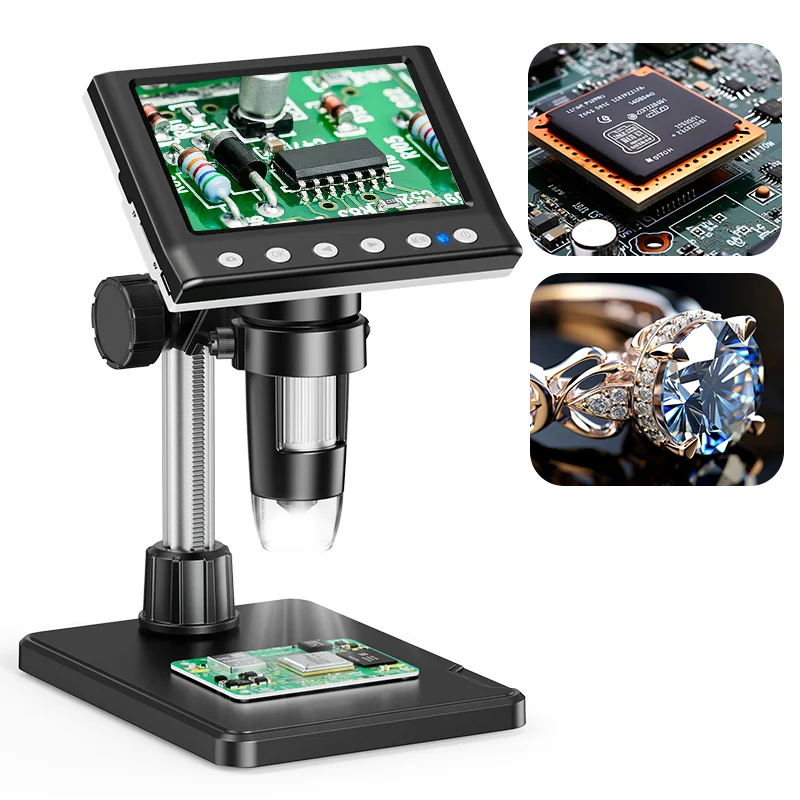
Advertised high zoom often limits working distance under the lens. Verify soldering iron clearance before mounting.
Hayve's 4.3-inch model ($33.89, listed as DM7) combines a larger display with desktop-friendly dimensions. It advertises 1600X magnification, 1080P output, and 8 LEDs. The title claims Windows and Mac OS compatibility. A larger screen reduces eye strain during extended work and gives you more space to view fine soldering details. Before purchasing, confirm that the stand height works with your workbench layout and that the display brightness is adequate for your lighting conditions—the listing doesn't specify screen brightness or stand adjustability.
Professional-grade options with expanded specs
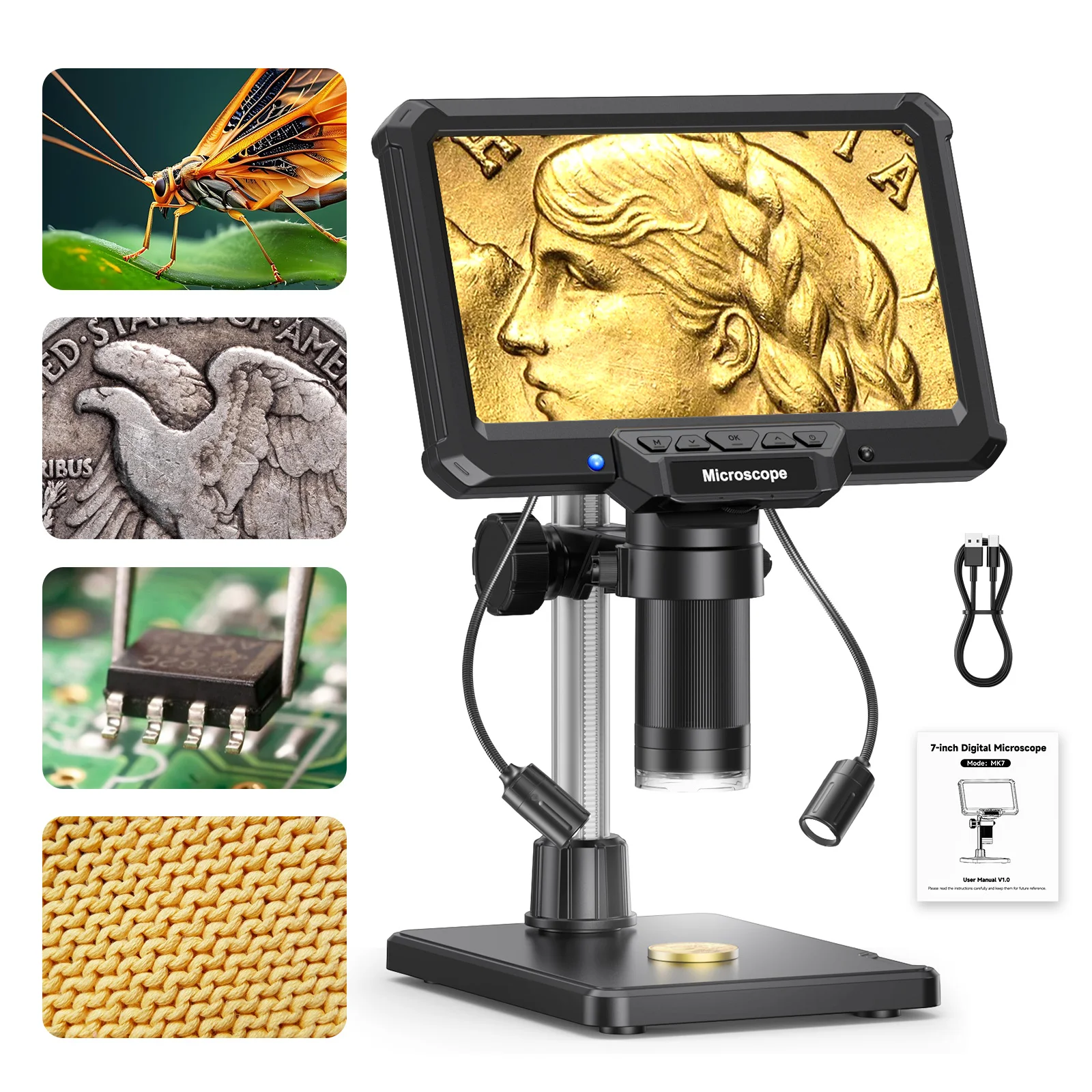
Advertised high zoom often limits working distance under the lens. Verify soldering iron clearance before mounting.
Hayve's 7-inch IPS model ($56.19) is a step up for users who spend hours at the microscope. A 16MP sensor and 1200X magnification promise more image detail, and the 7-inch IPS screen provides better color accuracy and viewing angles than smaller LCD displays common in budget units. The title states 1200X magnification and USB connectivity for phone and computer repair. IPS technology maintains colors at wider angles, helpful when multiple people view the screen simultaneously or when positioning the unit at an angle. As with other models, the listed magnification is digital zoom; image quality depends on the sensor resolution and lighting. Verify the exact USB connector type (the listing doesn't specify) before assuming compatibility with your setup.
Advertised high zoom often limits working distance under the lens. Verify soldering iron clearance before mounting.
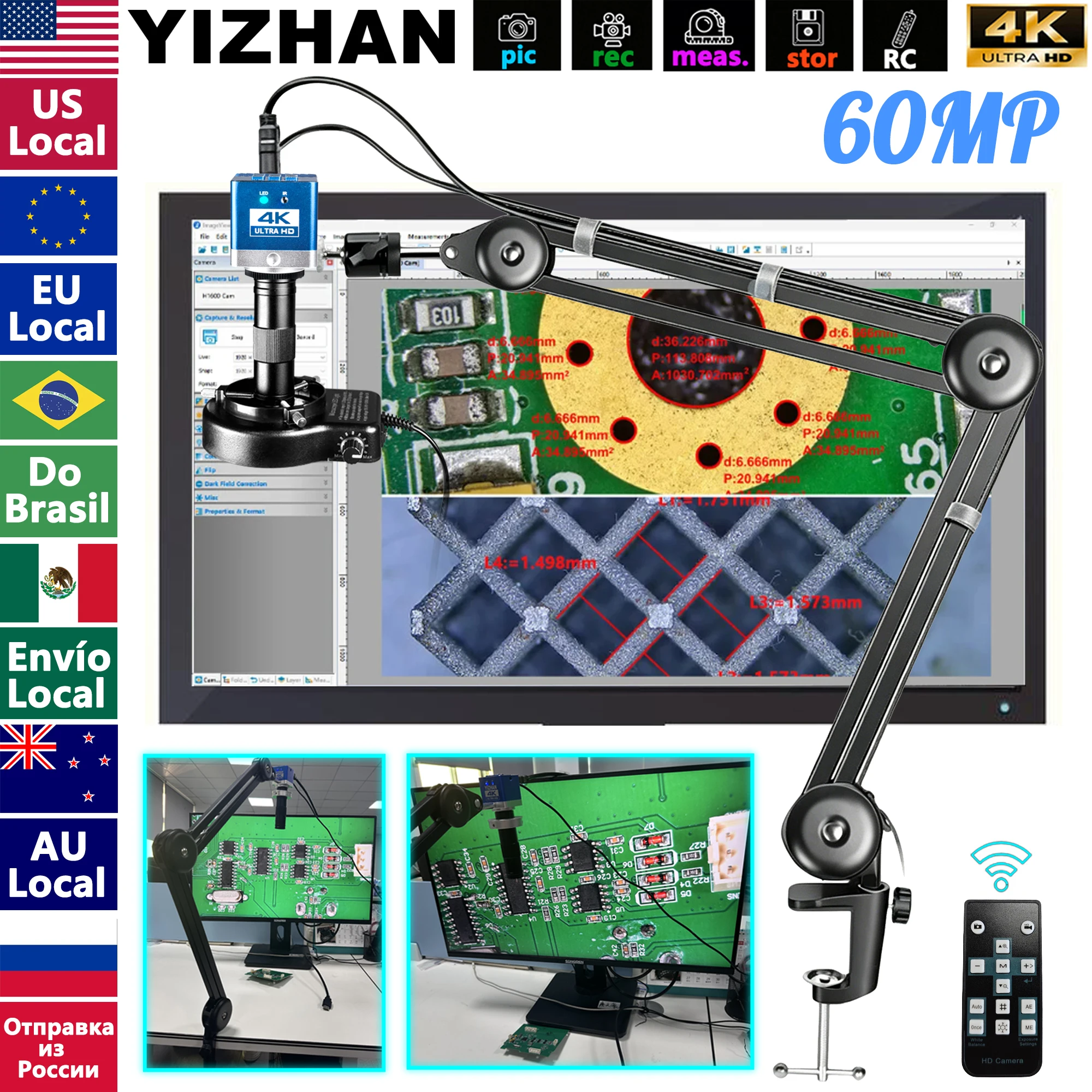
The 4K 60MP industrial unit ($103.18) from Electrical Instruments Tools Store represents a different category entirely—a research or production-grade microscope with HDMI output for external displays and USB-C connectivity. It advertises 150X digital magnification and an "enhanced stand" for stability. At this price point, you're paying for sensor resolution and professional software integration rather than consumer portability. The listing doesn't detail the optical lens specification, working distance, or whether the stand is motorized. Before investing in an industrial model, clarify what software is included and whether your monitor supports the output resolution you need.
What to verify before buying
- Operating system compatibility: Confirm your exact Windows, Mac, or Android version works with the software. Older listings sometimes ship with drivers that don't support recent OS updates.
- USB connector and cable length: Check whether it's USB-A, USB-C, or Micro-USB, and how long the cable is. A short cable limits workspace flexibility.
- Stand adjustability: For desktop work, measure your workbench height and verify the stand allows tilt and height adjustment. Fixed stands lock you into one viewing angle.
- LED brightness range: Ask whether the LEDs are dimmable and whether brightness is adequate for your typical subjects (shiny circuit boards reflect differently than matte components).
- Screen brightness (handheld models): If choosing a built-in screen unit, ask about display brightness in outdoor or bright room conditions—low brightness creates eyestrain.
- Focus range and speed: For autofocus models, ask the seller what distance range the focus system covers and whether it handles reflective surfaces (solder joints, SMD component leads).
- Included accessories: Verify what's in the box. Many listings show stands and adapters in photos that aren't included in the actual shipment.
Handheld or desktop: which fits your work
Choose a handheld 3-inch model if: You move between workstations, inspect components away from a desk, or want to avoid cable management. You trade screen real estate for portability. Best for field electronics repair, watch repair, or coin inspection.
Choose a 4–7 inch desktop model with a stand if: You do extended soldering, assembly work, or quality control in one location. A stable stand and larger screen reduce fatigue. The stand also frees both hands for holding tools.
Choose a software-only (no built-in screen) model if: You have a dedicated monitor at your workbench and want to minimize cost. You gain the largest viewing area and can take screenshots or record video for documentation.
Magnification, lighting, and real-world use
Advertised magnification numbers are inflated by software upsampling. A 1600X claim usually means 200–400X optical magnification with 4–8× digital zoom applied by the driver. What you actually see depends on sensor resolution (megapixels), lens quality, and LED brightness. A 2MP sensor with excellent lighting beats a 16MP sensor with poor LEDs.
For soldering: 8 adjustable LEDs are standard. Confirm they can dim to avoid washing out the work. Some models cluster LEDs on one side (creates shadow) while others ring the lens (more even lighting).
For coin or stamp inspection: a larger screen (7 inches) and good color accuracy (IPS panel) matter more than raw magnification.
For PCB rework: stable stand, comfortable working distance, and dimmable LEDs matter more than claimed zoom numbers.
Test the software on your computer before committing. Some USB microscope drivers are resource-heavy or lack basic controls. Many sellers offer trial software; use it to check frame rate, zoom smoothness, and autofocus behavior on your hardware.
```