ReticleBench may earn an affiliate commission when you purchase through links on this page, at no additional cost to you. Learn how ReticleBench is reader-supported
For fine electronics soldering, PCB trace repair, and numismatic coin examination, standalone digital microscopes have largely replaced traditional optical loupes and tethered USB inspection wands. By pairing an optical barrel with a dedicated LCD or IPS screen, these units eliminate the need to balance an open laptop on a crowded workbench. However, marketing numbers—such as advertised 1200X to 2000X magnification ratings—routinely mislead buyers. When inspecting circuit assemblies or small mechanisms, physical workspace clearance, illumination control, and stand stability determine success far more than arbitrary digital zoom figures.
For soldering and assembly, practical bench utility requires adequate working distance—the free vertical clearance between the bottom lens element and the workpiece. According to industrial inspection guidelines from YSC Technologies, electronics assembly and rework typically require approximately 4 to 6 inches of vertical clearance to safely maneuver soldering irons, hot-air nozzles, and tweezers under the optics.
Magnification Claims vs. Benchtop Reality
Marketplace listings frequently advertise extreme magnification figures such as 1000X, 1600X, or 2000X on compact sensors. These numbers represent total screen magnification—calculated by multiplying modest optical magnification by digital cropping and the diagonal dimensions of the display screen—rather than true resolving power. For surface-mount component inspection and bridge identification, practical optical magnification rarely needs to exceed 10X to 50X. Beyond that, excessive digital enlargement merely blows up image pixels without revealing finer mechanical detail.
When selecting a bench microscope, prioritize three physical design factors instead of magnification headlines:
- Stand Geometry and Throat Depth: A vertical pillar positioned too close to the lens limits board size and prevents centering larger motherboards under the optical axis. Cantilever arms or tall, rigid risers provide significantly better maneuvering space.
- Oblique Illumination: Direct ring lights surrounding the objective lens reflect blinding hotspots off curved solder joints. Dual adjustable gooseneck spotlights allow light to hit traces at grazing angles, highlighting pad bridging and hairline fractures without glare.
- Live Feed Latency: If you plan to solder actively under the display, the refresh rate must remain smooth. On-board screens typically offer real-time preview, but tethered USB feeds on low-spec controllers can introduce subtle lag that disrupts hand-eye coordination.
Featured Digital Inspection Microscopes
The models below represent four distinct approaches to standalone inspection, ranging from heavy-duty multi-lens setups to flexible boom mounts and compact travel stations.
Andonstar AD246S-M (Multi-Lens Modular Setup)
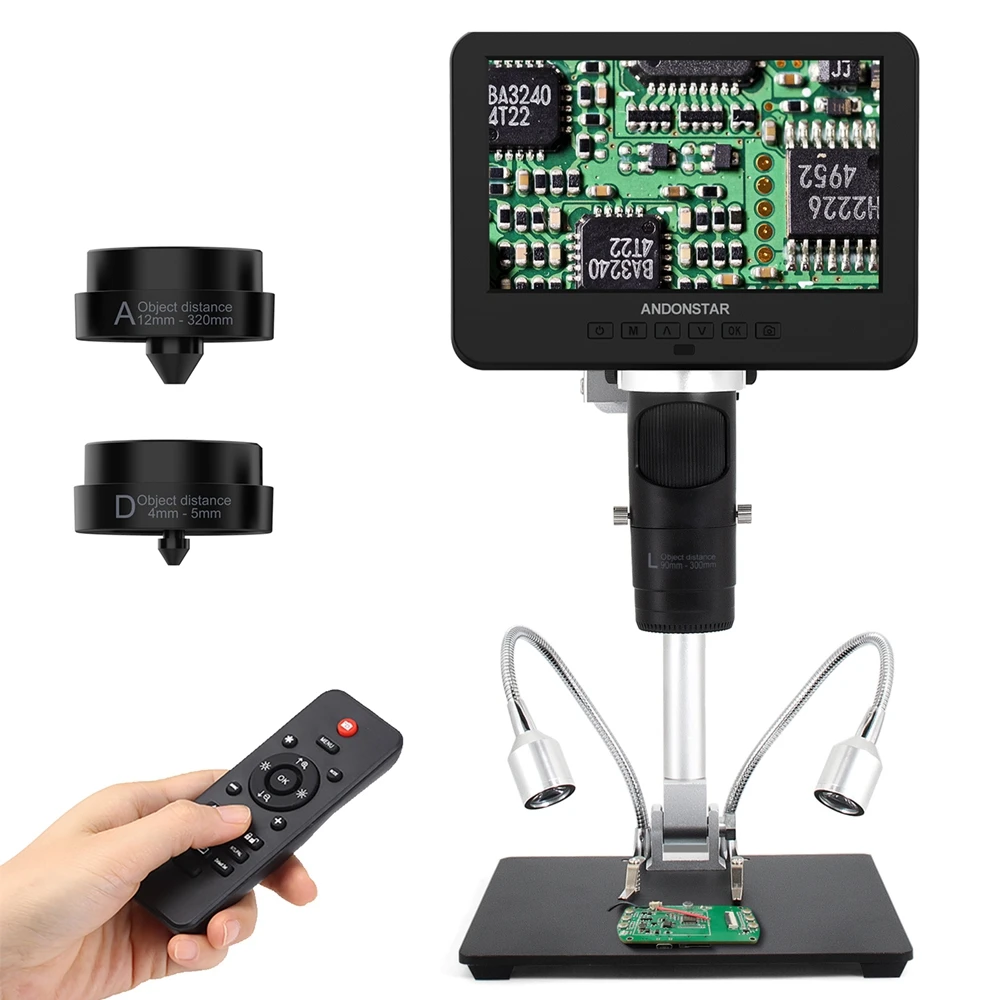
The Andonstar AD246S-M targets electronics rework stations that require both macro board views and high-magnification metallurgical or pad inspection. The seller advertises a 3-lens system with labeled object distances (including an "A" lens rated for 12mm–320mm standoff and a "D" lens for close 4mm–5mm high-ratio inspection). It claims UHD 2160P capture and HDMI display output alongside an integrated IPS panel.
Advertised high zoom often limits working distance under the lens. Verify soldering iron clearance before mounting.
The key bench advantage of this layout is versatility: the long-distance lens allows adequate clearance for soldering iron access, while the switchable optic provides extreme close-up detail without relying on lossy digital zoom. The supplied remote control helps capture still images without bumping the focus barrel. Purchase consideration: Ensure your workbench has adequate depth for the wide baseplate, and check whether your unit includes the specific HDMI cable needed for your secondary external monitor.
TOMLOV DM9 (7-Inch LCD with Dual Gooseneck Illumination)
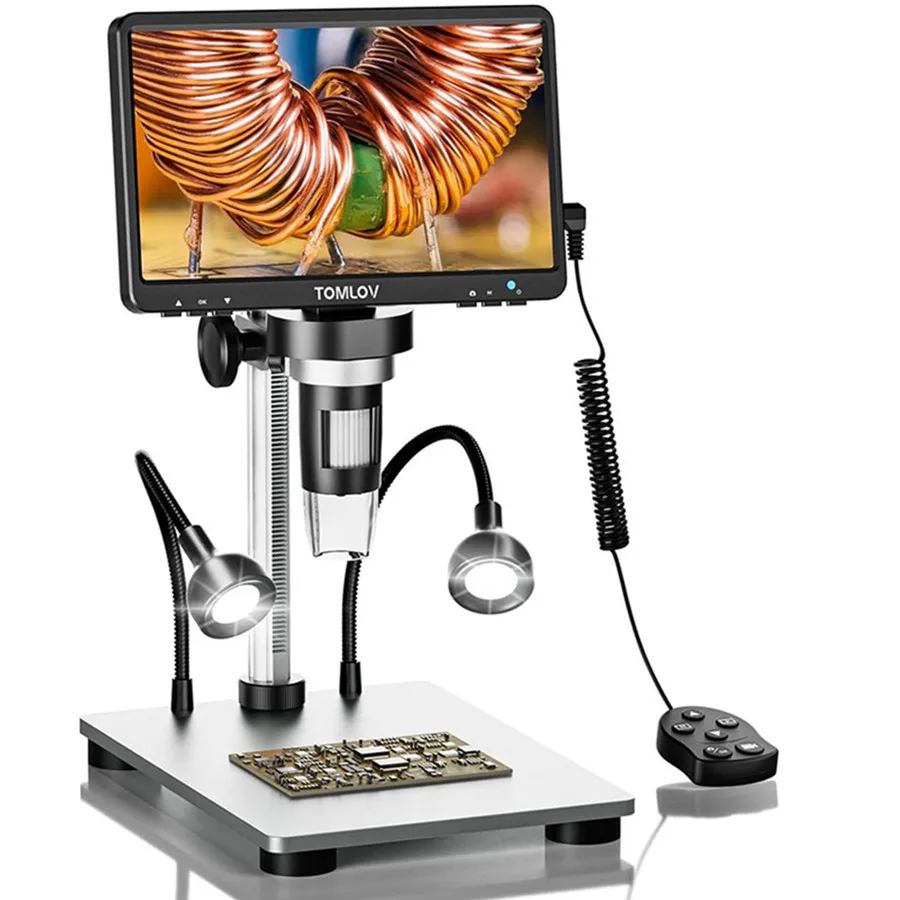
The TOMLOV DM9 pairs a sizable 7-inch LCD panel with an aluminum bench base and twin flexible gooseneck LED spotlights. The seller lists 1080P video resolution and 1200X maximum magnification, oriented specifically toward phone board diagnostics and coin error verification.
Advertised high zoom often limits working distance under the lens. Verify soldering iron clearance before mounting.
The integrated 7-inch display provides substantial viewing comfort compared to smaller 4.3-inch panels, reducing neck fatigue when tracing fine SMD signal runs. Its dual flexible side lights solve the primary issue with on-lens LED rings, allowing users to direct illumination from low angles across copper planes. Purchase consideration: The standard vertical post height sets an upper limit on full-coin or large-board framing; check whether your intended workpiece height fits within the focusing range without requiring an aftermarket riser extension.
Hayve Flex Arm Microscope (5-Inch Screen with Articulated Cantilever)
Rather than using a fixed desktop baseplate, this Hayve configuration utilizes a multi-jointed spring-loaded cantilever arm that clamps directly to the edge of the workbench. It integrates a 5-inch IPS display and advertises 1000X magnification for PCB and coin review.

Advertised high zoom often limits working distance under the lens. Verify soldering iron clearance before mounting.
By eliminating the central pedestal and stage, this articulated mount frees the entire bench surface for oversized motherboards, automotive control modules, and heavy fixtures. Users can pull the optical head into position and swing it clear when finished. Purchase consideration: Cantilever arms require a sturdy desk edge and can transmit micro-vibrations when typing or tapping nearby; confirm your table is rigid and that the clamping bracket matches your desk's thickness.
Hayve DM7 (4.3-Inch Compact Inspection Unit)
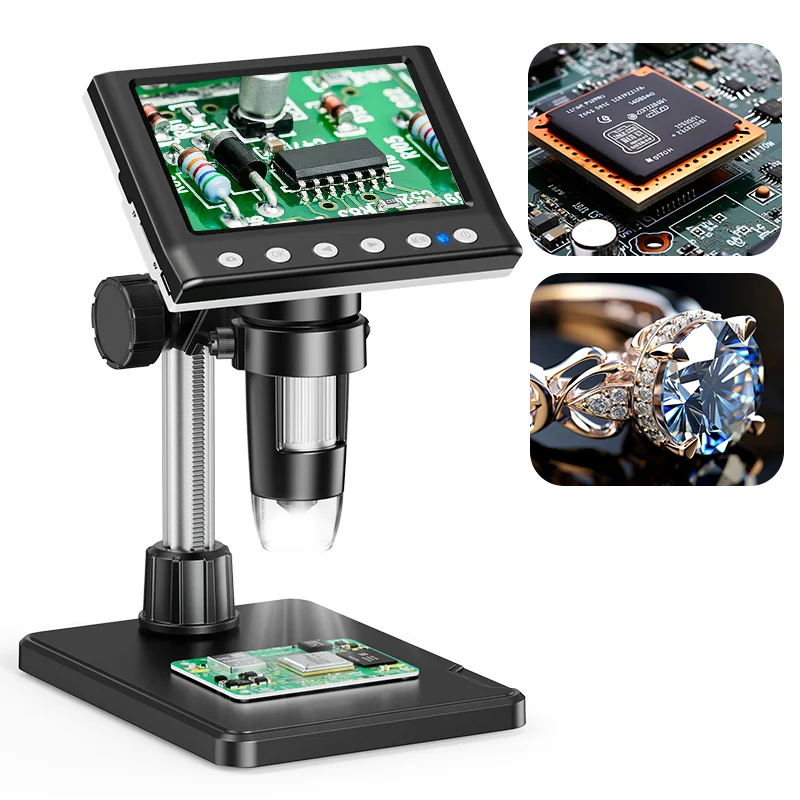
The Hayve DM7 is an entry-tier standalone unit featuring a 4.3-inch screen, an 8-LED lens ring, and advertised 1080p output with Windows and Mac OS USB compatibility. It uses a lightweight desktop pillar stand designed for basic hobby inspection.
Advertised high zoom often limits working distance under the lens. Verify soldering iron clearance before mounting.
This compact form factor suits occasional checks, such as identifying surface-mount chip markings, verifying knife edges, or checking single coins. Purchase consideration: The relatively small base and shorter pillar leave narrow clearance beneath the lens. While practical for passive observation, active soldering with a hot iron under this configuration is tightly constrained by the limited working gap.
Benchtop Feature Comparison
| Model | Screen Size | Mounting Style | Auxiliary Lighting | Soldering Suitability |
|---|---|---|---|---|
| Andonstar AD246S-M | Integrated IPS LCD | Tall Pillar / Metal Base | Dual Gooseneck Spots | High (Modular long-distance lens) |
| TOMLOV DM9 | 7.0-inch LCD | Vertical Post / Solid Base | Dual Gooseneck Spots | Moderate to High (Depends on component height) |
| Hayve Flex Arm | 5.0-inch IPS | Desk Clamp Cantilever Boom | Lens Ring LEDs | High (Unobstructed bench clearance) |
| Hayve DM7 | 4.3-inch LCD | Compact Fixed Column | Lens Ring LEDs | Limited (Restricted vertical space for iron) |
Pre-Purchase Checklist: Verifying Your Setup
Before ordering any benchtop microscope, verify the following specifications directly on the seller's documentation to ensure the hardware matches your workflow:
- Vertical Clearance Range: Confirm the minimum and maximum distance between the lowest lens surface and the stage at focus. If you solder, verify there is at least 10–12 cm of vertical space under the lens to avoid melting plastic bezels with your iron or hot air pencil.
- Video Signal Latency (HDMI vs. USB): Units equipped with direct HDMI output transmit native sensor feeds directly to external monitors with negligible processing latency. If you rely on a PC USB webcam feed, verify whether your operating system supports UVC without high frame-delay.
- Power Supply Requirements: Check whether the built-in battery operates the screen and gooseneck lights simultaneously, or if continuous bench power via a 5V/2A USB adapter is required to prevent backlight dimming.
- Optical Reflection Barriers: Verify whether an optional UV filter or protective lens screw cap is included to shield internal optics from corrosive rosin flux smoke and thermal splatter.